How to use Animoji and Memoji in FaceTime video calls on iPhone X
You can use them in your group and a one-on-one video call. Before you start, make sure you have already created a Memoji on your iPhone X. You have not done it yet? No problem, head to this quick guide to make it a fantastic one. Since there are many customization options, you would like to create a custom avatar.
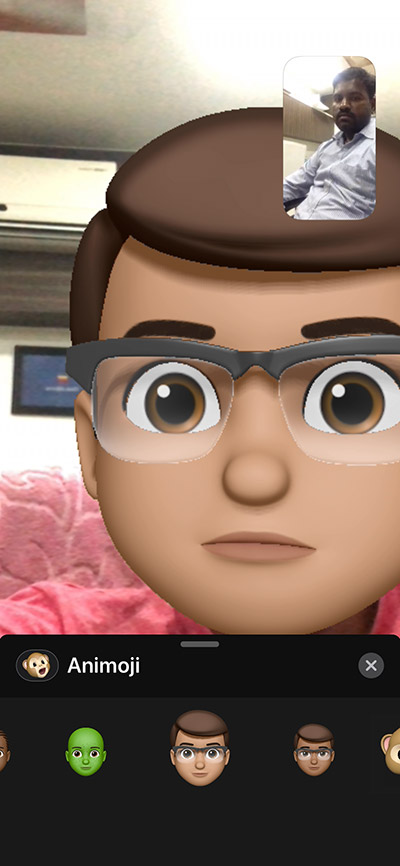
Step # 1. Launch FaceTime app on your iPhone and start a call.

Step # 2. Now press Rectangular Inlay on the lower left of the screen → Then tap Animoji Icon

Step # 3. Then you have access to all your created Memojis and still hilarious Animojis. Select the avatar that you want to use. Now your face will be replaced by the Animoji / Memoji. Discover how perfectly he follows the movements of your face.
Hint: Gihosoft iPhone Data Recovery is a professional iPhone Data Recovery software to get back all your lost text message, photo, video, call history, note, contact and more from iPhone/iPad/iPod Touch. It offers a full solution to recover your lost data in different tough situations. Besides recovering data directly from iPhone, iPad and iPod touch, it also allows you to recover data from iCloud and iTunes backup files.


No comments:
Post a Comment